
Freemium photo editor and social network
Picsart is a freemium photo editor and collage app that shares some features with a social network. When users create images they think are share-worthy, they publish them to the Picsart network, where you can follow users and find new art using search or hashtags. The editor also offers users stickers, gifs, and a variety of challenges, to keep you entertained and engaged.
Create amazing works of art
Even though we’re overrun with photo editor, it can be hard to find the perfect one for your needs. A bit like Goldilocks and the bears, one editor will be too complicated, the next won’t have layers, and a third might be too complicated...it’s hard to get it just right. Might Picsart change all that?
The Picsart download and installation process
Picsart is available as an app for Windows 10, so you’ll have to download it via the Microsoft Store. It’s also available for Android and iPhone. Once it installs, you’ll have to sign in, which you can do by signing up with an email address or via a number of sign-in services. Once you’ve signed in, you’ll then have to set up an account, picking a username and password.
Picsart for Windows 10 - how it looks
Picsart looks great, which is just as well for an photo apps. The main interface is taken up by an assortment of bright and eye-catching images, with the options of Editor and Collage at the top. At the very top of the window are your settings and profile buttons - both of these are very basic.
Once you start to use the app, it will prompt you to pick an image. This can be from your computer, from their library of free images, an image you’ve already saved to your profile, or even an image from Facebook or Instagram, although these are probably easier to choose if you’re using Picsart on mobile.
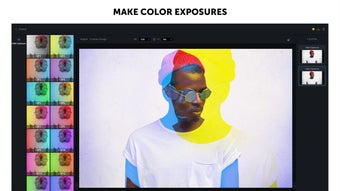
Once you’ve chosen an image, the editor or collage maker will launch. Prepare to be overwhelmed - Picsart Editor has a pretty steep learning curve. The options available to you are located to the left of the main image. Underneath this main image is the options available within the choice you’ve just made and, to the left, you can edit or select the layers you want to use.
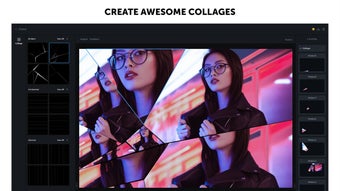
Picsart Collage is a little more simple - but only just. You’ll see layout options to the left and bottom, and you’ll be able to make changes to the appearance of the collage via the configuration options on the right. Once you’re happy with the final product, you can save it to your computer, share it with a variety of Microsoft-based apps, or share it with the PicsArt community.
What kind of edits can you make with Picsart?
There’s no end to the options you have for editing your images in Picsart - that’s what makes the learning curve so steep. The most important part is that the editor supports layers, like Photoshop. This makes it much easier to do pretty impressive things with the app. Apart from that, there is a world of features that will let you make some awesome art.
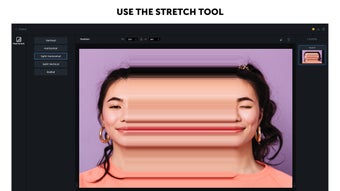
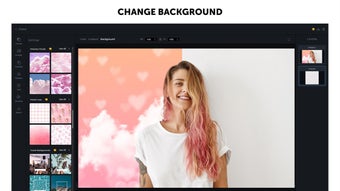
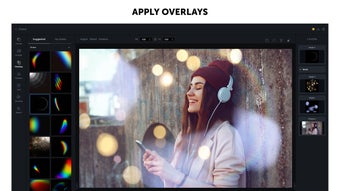
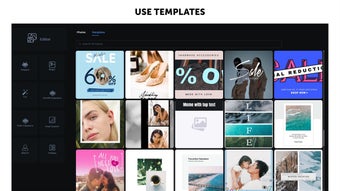
Picsart’s editing tools focus on the fun aspect more than the serious graphic design side, but you can still get pretty creative. There are standard editing features, like crop, resize, and add text, as well as adding stickers and filters, lens flare, runout, motion, clone, and more. Some features are premium-only but from within the app, it’s not clear which until you click them. In fact, there are so many features that you’re probably going to have to spend a pretty long time getting to know them all.
Is it any good?
From a theoretical point of view, Picsart is a really creative app that will give arty types hours of fun. You can definitely make really great images to share on social media and the Picsart network, even if it does take you a while to really master it. Picsart has a fun website with lots of challenges, and vibrant, active, and huge social media following for you to get involved with. From this point of view, Picsart’s great.
Unfortunately, using the app wasn’t quite as good in practice. It crashed several times when we were testing and, when it did work, it took a really, really long time to load images and apply effects. That really slowed the creative process down and made using the app a bit frustrating.
Great in theory, not so in practice
We really wanted to like Picsart and, on some levels, we did. It’s a great app for people serious about editing images for fun. It doesn’t give you quite the same control as something professional like Photoshop, but it gives you way more sharing-friendly options than alternative photo editors like Photo! Editor and PictBear. It’s designed for the Instagram generation, and it does the job really well.
Unfortunately, it was a pain in the neck to use. If it wasn’t slow, it was crashing and freezing, and when it did actually work, it loads a huge ad every time you pick a new image. This is a pretty big problem and really interfered with our enjoyment of this app.